
SQL AI that never routes through us.
I built Condit for a workplace where almost nothing gets installed without review. Ask your database questions in plain English — Condit writes the SQL, runs it, and explains the result. Your schema and data go straight from your machine to your database and whichever LLM you choose — a fully local model via Ollama, or your own API key for a hosted one. Either way, Condit’s own servers are never in the loop.
macOS 11+ (Apple Silicon)· Windows 10+·No account required
Supported databases
 PostgreSQL
 MySQL
MySQL SQLite
 DuckDB
 Snowflake
 SQL Server
 BigQuery
 Redshift
 Databricks
 Teradata
 Oracle
Built for a locked-down laptop, not a demo.
I have a full-time job at a place where almost nothing gets installed without going through review — most SaaS tools simply aren’t an option. I kept switching between my SQL client and ChatGPT to understand what was in my own tables, copy-pasting schema back and forth, unable to use any of the AI SQL tools out there because they all assume a cloud connection I’m not allowed to make.
So I built Condit to work entirely offline if you want it to — point it at a local model, and your schema, queries, and results never leave your machine. I use it every day, for myself first. Now it’s for anyone else who needs a tool that can actually live in a restricted environment.
It’s free — no account needed, fully usable with your own local model. That’s not a trial; it’s how I built it to work, permanently.
No middleman, ever
Your schema, queries, and results go straight from your machine to your database and whichever LLM you choose. Nothing routes through Condit’s servers — free tier or not.
AI SQL chat
Ask questions in plain English. Condit writes the SQL, runs it, and explains the result — no copy-pasting between ChatGPT and your SQL client.
11 databases
PostgreSQL · MySQL · SQLite · DuckDB · Snowflake · SQL Server · BigQuery · Redshift · Databricks · Teradata · Oracle
Or skip the chat entirely.
Condit is a real SQL client first — the AI chat is one tab among several, not a wrapper around a query box. If you already know the query you want to write, just write it.
A proper code editor
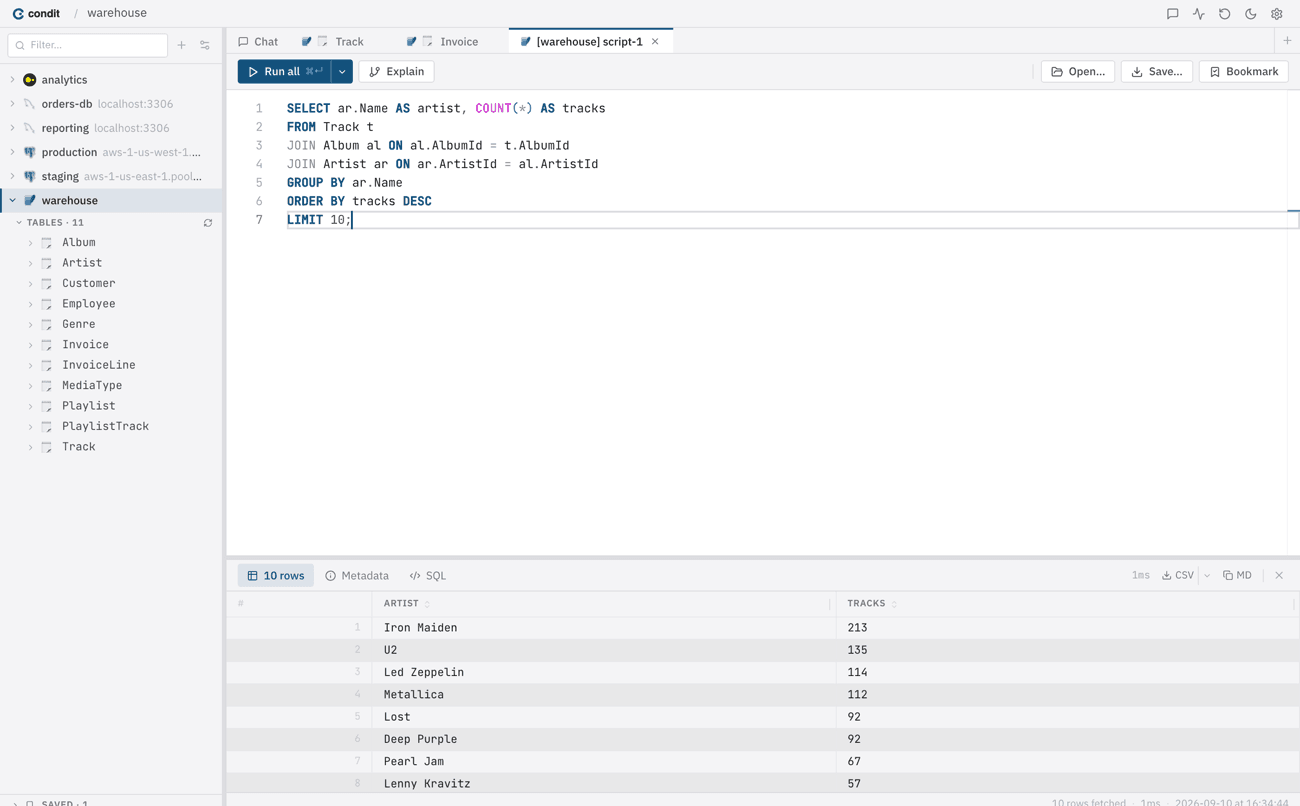
Syntax highlighting, autocomplete, and results right below the query — powered by Monaco, the same engine behind VS Code.
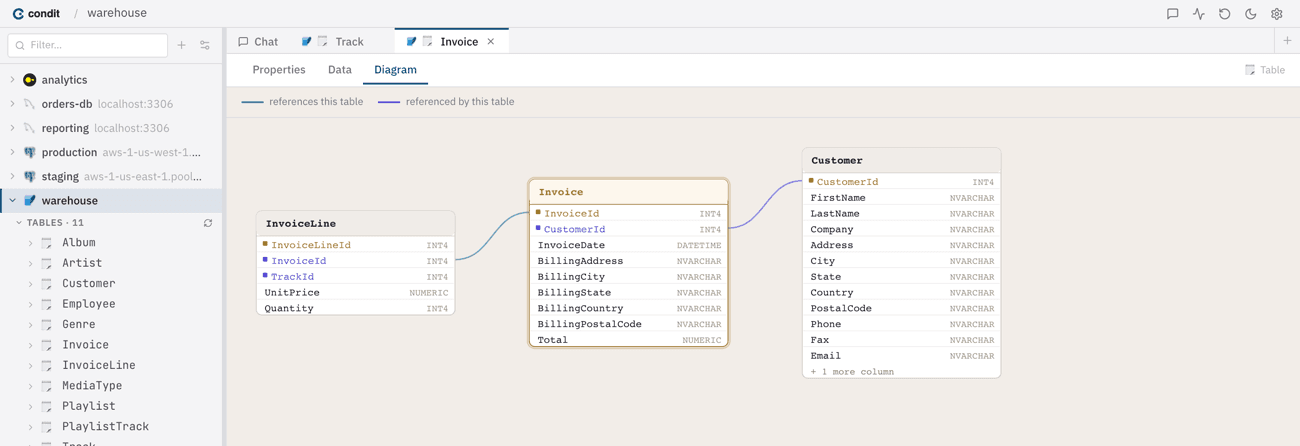
See how your tables connect
Condit reads your schema’s foreign keys and draws the relationships automatically — no separate diagramming tool, no manual layout.
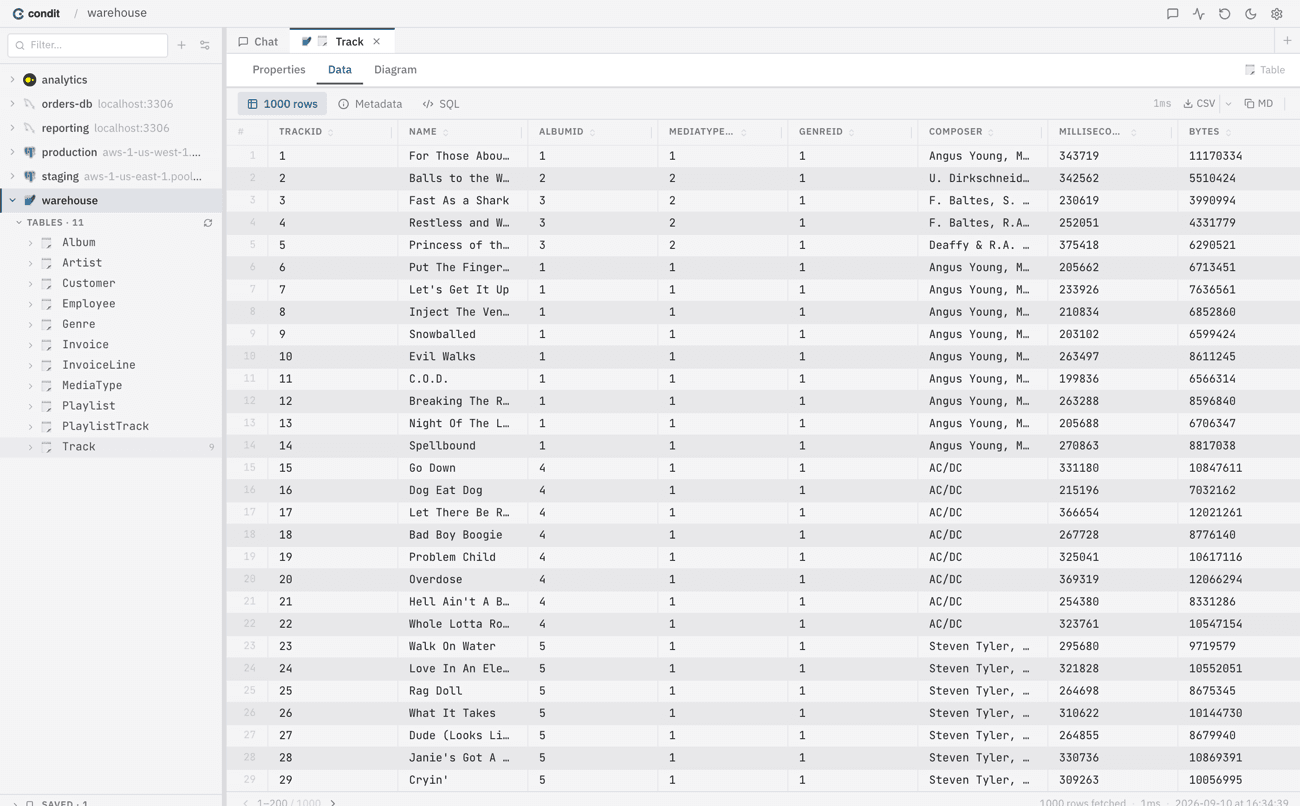
Browse without writing SQL
Sort, filter, and export any table straight to CSV. Sometimes you just want to look at the data.
Name your tables. Teach the AI your schema.
Add plain-English descriptions to tables and columns in the semantic layer. The AI uses your definitions automatically — better SQL on the first try, without repeating context every time.

Condit AI (optional)
Running your own model is free, forever — that’s the whole point of building it this way. If you’d like to support ongoing development, Condit AI gives you a model pairing tuned specifically for SQL generation: lower latency, higher accuracy than most general-purpose local models. It’s a way to support the project, not a feature you’re missing out on. Available inside the app under Settings.
Download Condit
v0.12.0· macOS 11+ (Apple Silicon) & Windows 10+ · Free forever
All releases on GitHub Releases ↗